Two sample reports showing exactly what you receive: a baseline website QA audit and a recurring monthly QA report. Both use example data for fictional businesses — no real client findings are shown.
The starting point: a full independent review of the agreed pages and customer journeys, establishing the issue register and baseline QA score.
Prepared by WebTesterPro · Personally reviewed by a senior QA engineer
Sample report · Example data only
Fern & Forage (a fictional ecommerce store) has a clear purchase path, but two high-severity issues affect whether customers can complete it — most notably a mobile checkout validation problem that prevents progression. The baseline QA score of 72/100 is a sample figure reflecting the agreed scope, severity of current findings and condition of the tested customer journeys.
Customer impact: Mobile customers cannot complete checkout when the postcode field rejects a valid postcode format.
Steps to reproduce: On a mobile device, add any product to the basket, proceed to checkout as a guest, and enter a valid postcode containing a space.
Expected result: The postcode is accepted and the customer can continue to payment.
Actual result: A validation error is shown and the continue button remains disabled.
[Screenshot evidence appears here in the delivered report]
Recommended next action: correct the postcode validation rule and retest on mobile Safari and Chrome.
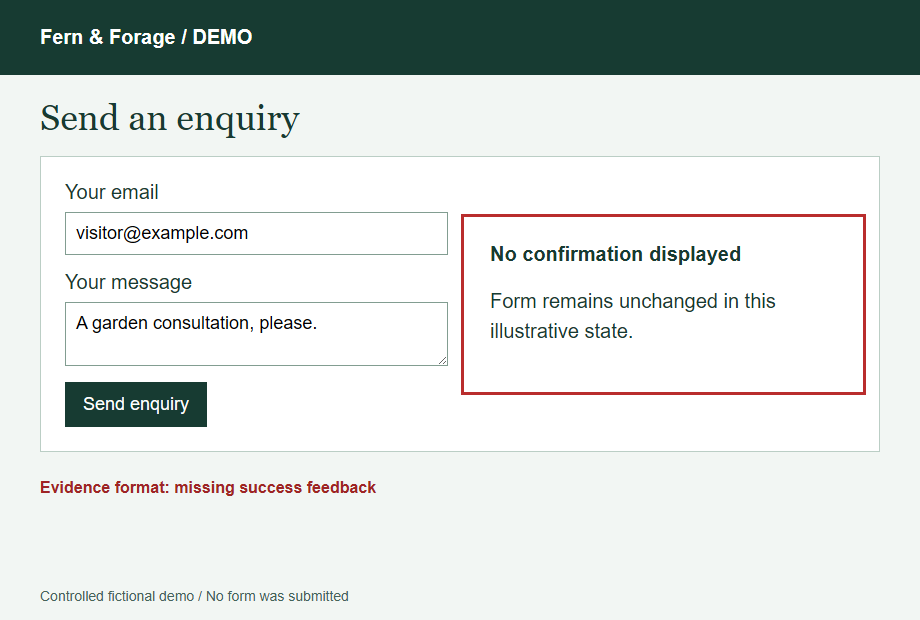
Customer impact: After submitting the contact form there is no clear confirmation, so customers may submit repeatedly or assume the message failed.
Steps to reproduce: Complete and submit the contact form on desktop or mobile.
Expected result: A clear confirmation message tells the customer their enquiry was received.
Actual result: The page reloads with no visible confirmation.
[Screenshot evidence appears here in the delivered report]
Recommended next action: add a visible confirmation state after successful submission.
Customer impact: Customers who mistype their email during password reset see a generic error with no guidance on what to do next.
Steps to reproduce: Request a password reset with an email address not registered on the store.
Expected result: A message explains what happened and what the customer should try next.
Actual result: The message reads "Error" with no further information.
[Screenshot evidence appears here in the delivered report]
Recommended next action: replace the generic error with plain-English guidance.
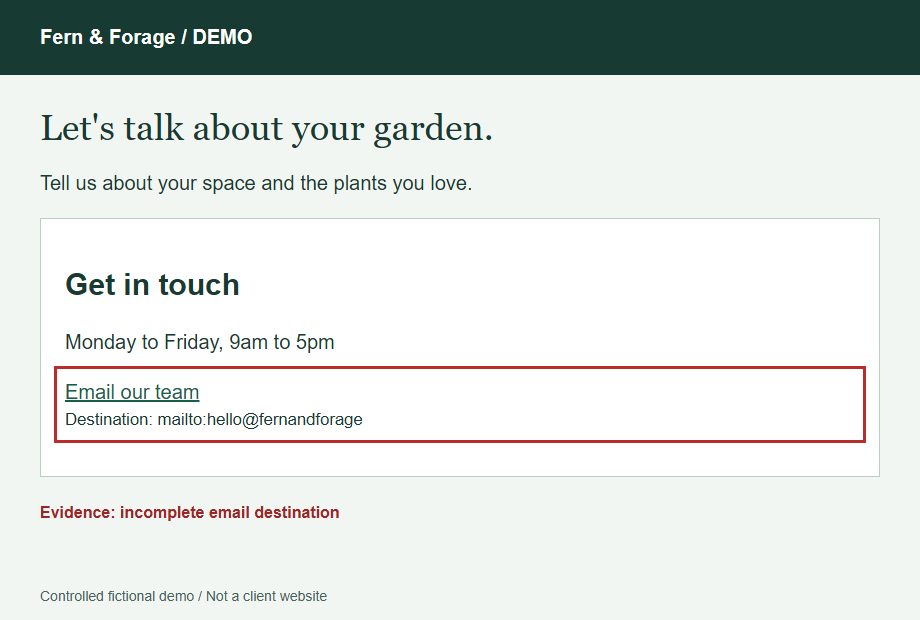
Customer impact: A promotional banner links to a page that no longer exists, ending the customer's journey at an error page.
Steps to reproduce: Select the seasonal promotion banner on the homepage.
Expected result: The promotion landing page loads.
Actual result: A "page not found" error is displayed.
[Screenshot evidence appears here in the delivered report]
Recommended next action: update or remove the banner link.
The delivered baseline audit also includes the complete issue register, severity and business-impact ratings for every finding, the baseline QA score calculation scope, prioritised recommendations and a suggested monthly-report scope.
Each month the agreed journeys are reviewed again, and every finding is tracked as new, outstanding or resolved against the previous report.
Prepared by WebTesterPro · Personally reviewed by a senior QA engineer
Sample report · Example data only
New Booking confirmation not displayed on mobile Safari. After completing a booking on an iPhone, no confirmation screen is shown. Customers may submit repeatedly or believe the booking failed. Reproduction steps and screenshots are included in the delivered report.
Outstanding Password-reset instructions hard to read on small screens. First reported two months ago; retested this month and still present. The instruction text remains too small and low-contrast on mobile devices.
Resolved New-patient form validation message. Retested this month and confirmed fixed — the form now clearly identifies which field needs correcting.
Fix the mobile booking confirmation. Customers may submit repeatedly or believe the booking failed — this is the highest-impact issue in the current register.
Retest the booking confirmation fix, and review the patient-registration journey after the planned release.
Start with a baseline audit to establish your issue register and QA score, or ask which service fits your website best.